
功能简介#
本脚本用于生成 Git 日报通知,将 GitLab 中指定项目组的所有项目 Git 提交信息以 HTML 表格形式发送给相关人员,适用于敏捷开发项目的日常管理。
环境要求#
依赖工具
- Git 2.9.3
- sendemail
- jq
运行环境
- CentOS 7 (7.9.2009)
- GitLab 13.10.2
环境准备#
编译安装 Git#
yum remove git  # 卸载系统自带的低版本 Git

wget https://github.com/git/git/archive/refs/tags/v2.9.3.zip # 下载源码

unzip v2.9.3.zip

cd git-2.9.3/

make configure

./configure prefix=/usr/local/git/  # 配置 Git 安装目录

make -j8 && make install  # 编译并安装

ls /usr/local/git/
bin  lib64  libexec  share

vim /etc/profile # 添加到 PATH 环境变量
export PATH=/usr/local/git/bin:$PATH

source /etc/profile # 使环境变量生效

git version
	git version 2.9.3
安装其他依赖工具#
yum install sendemail jq -y
配置准备#
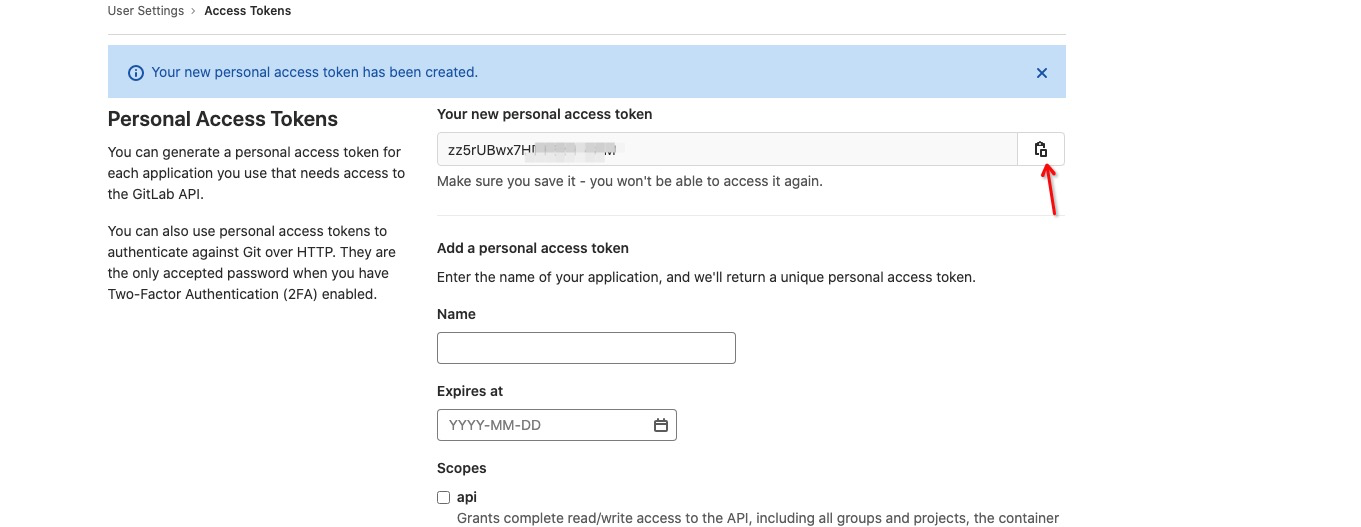
获取 GitLab API Token#
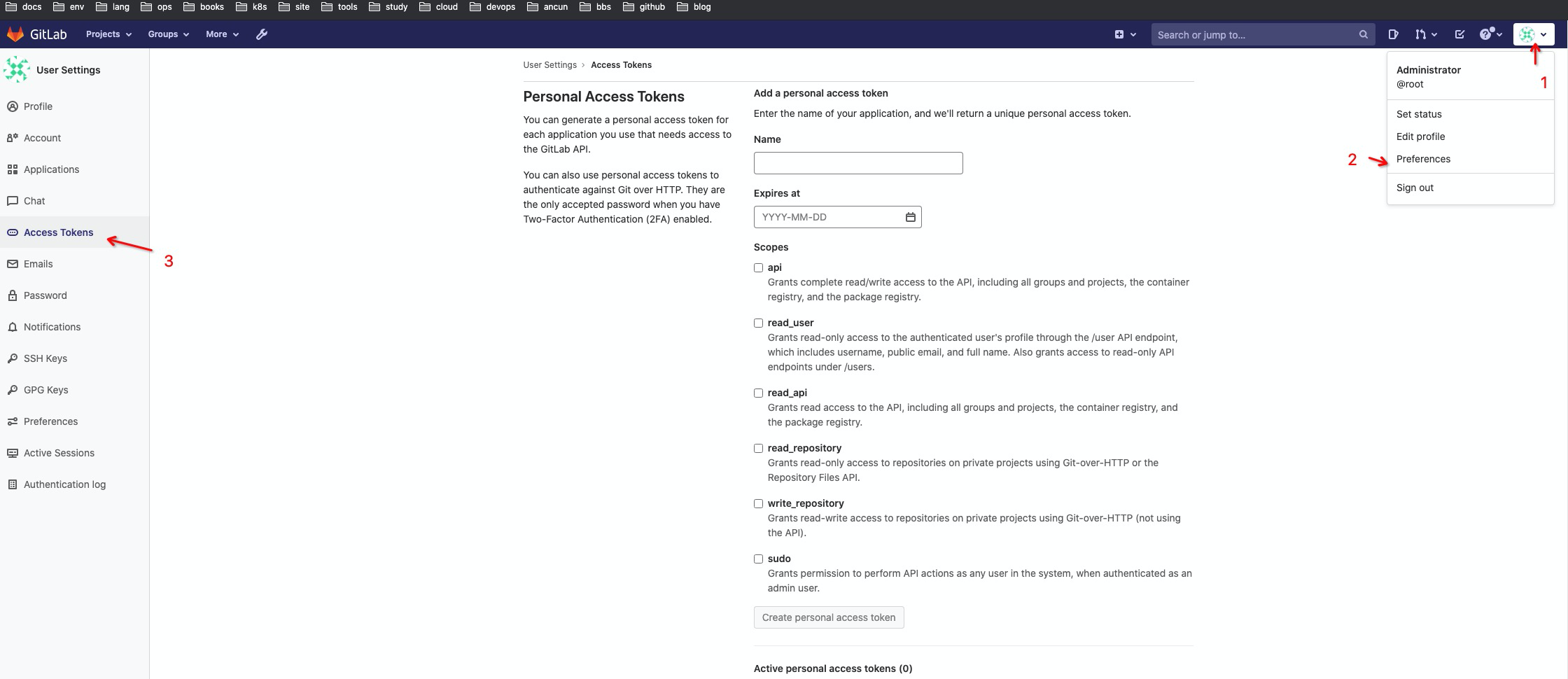
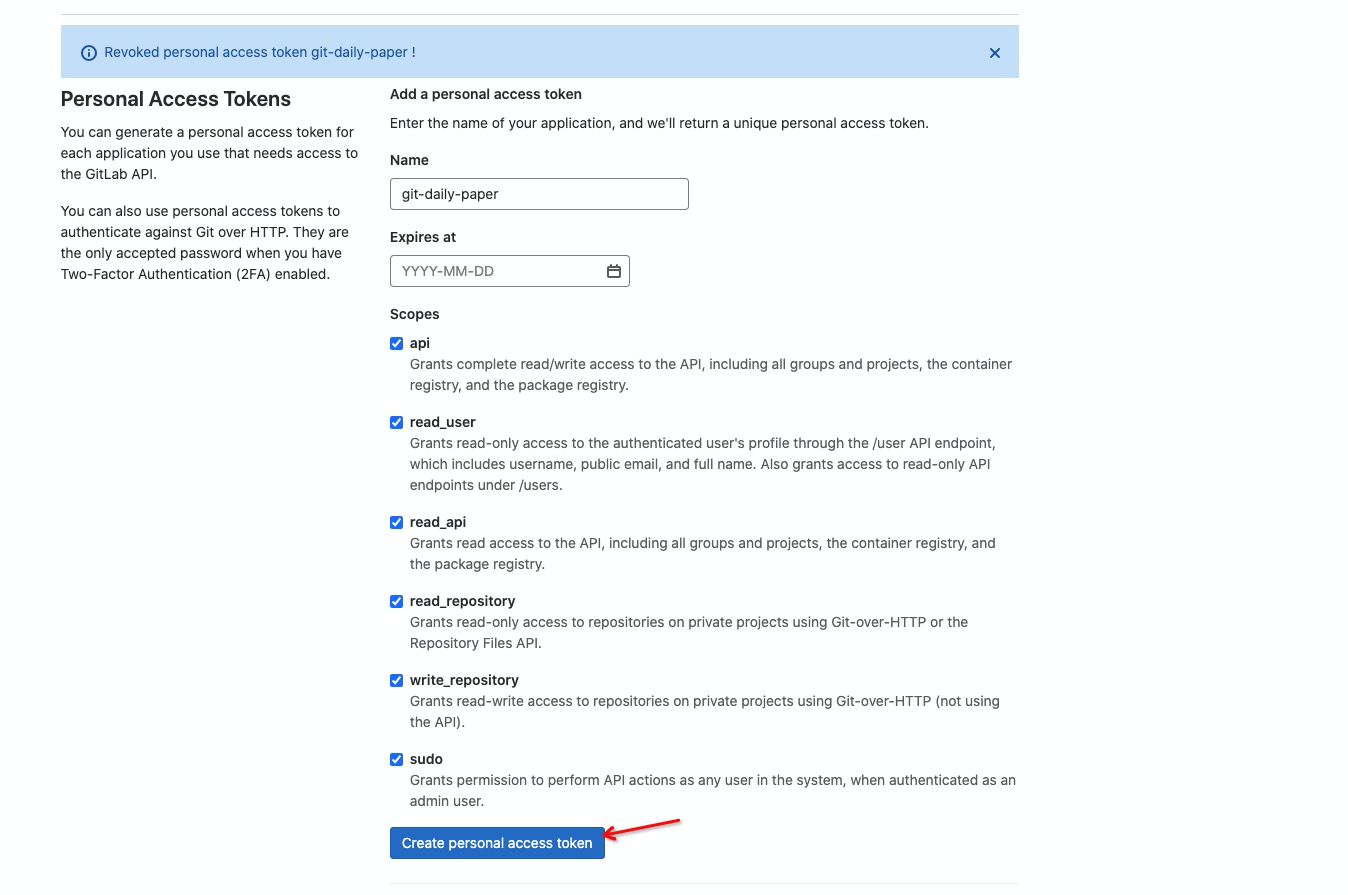
点击创建,复制生成的 Token
创建项目组并获取组 ID#
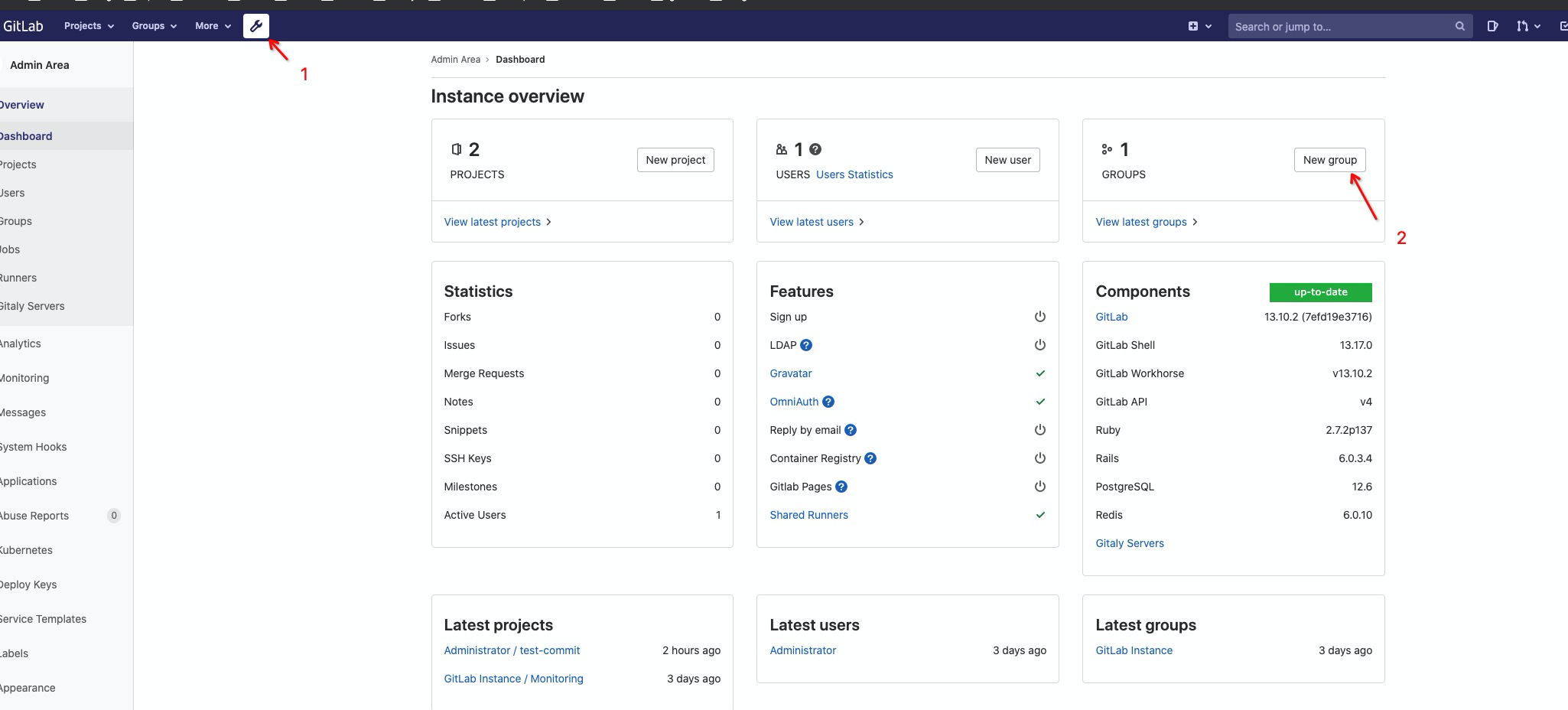
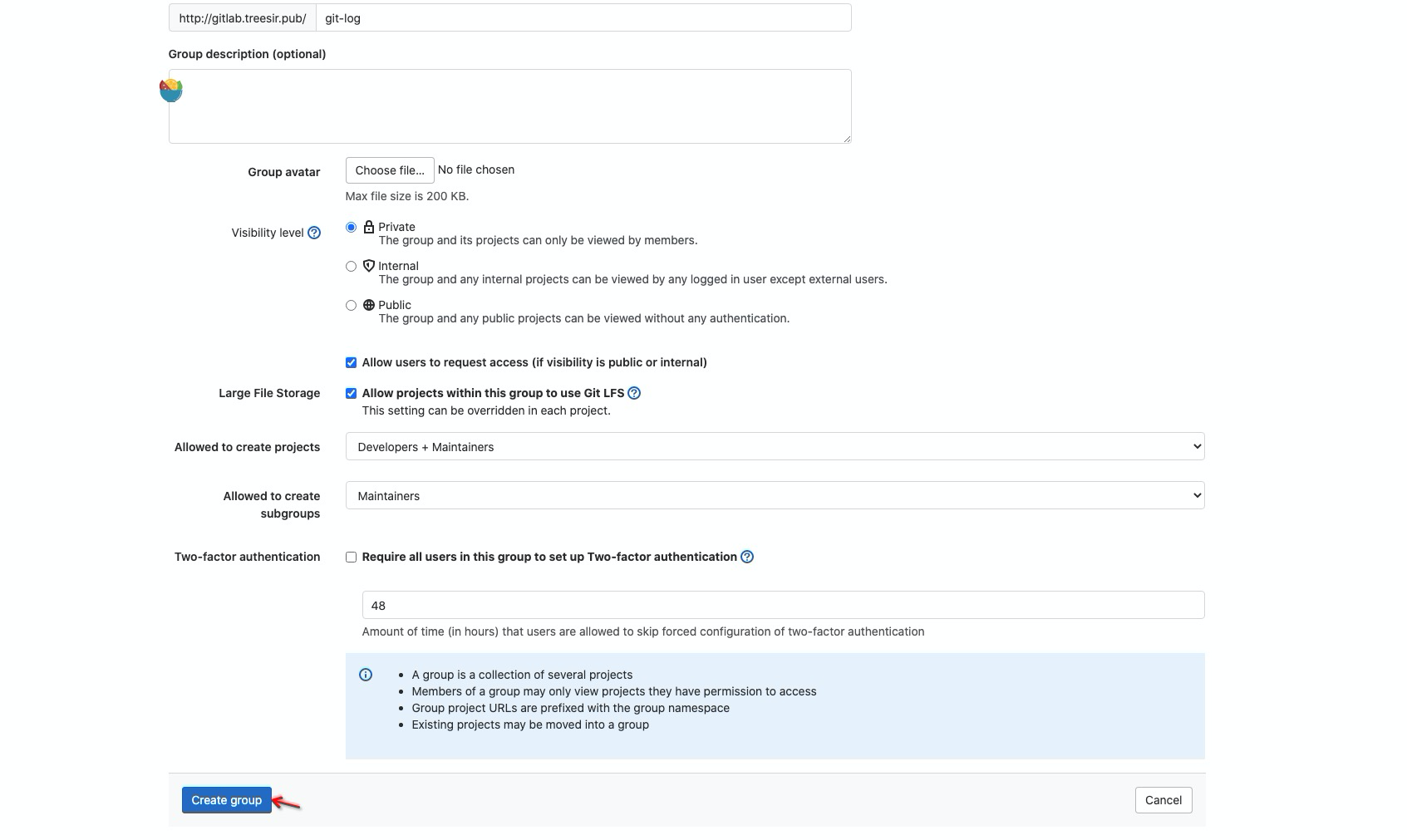
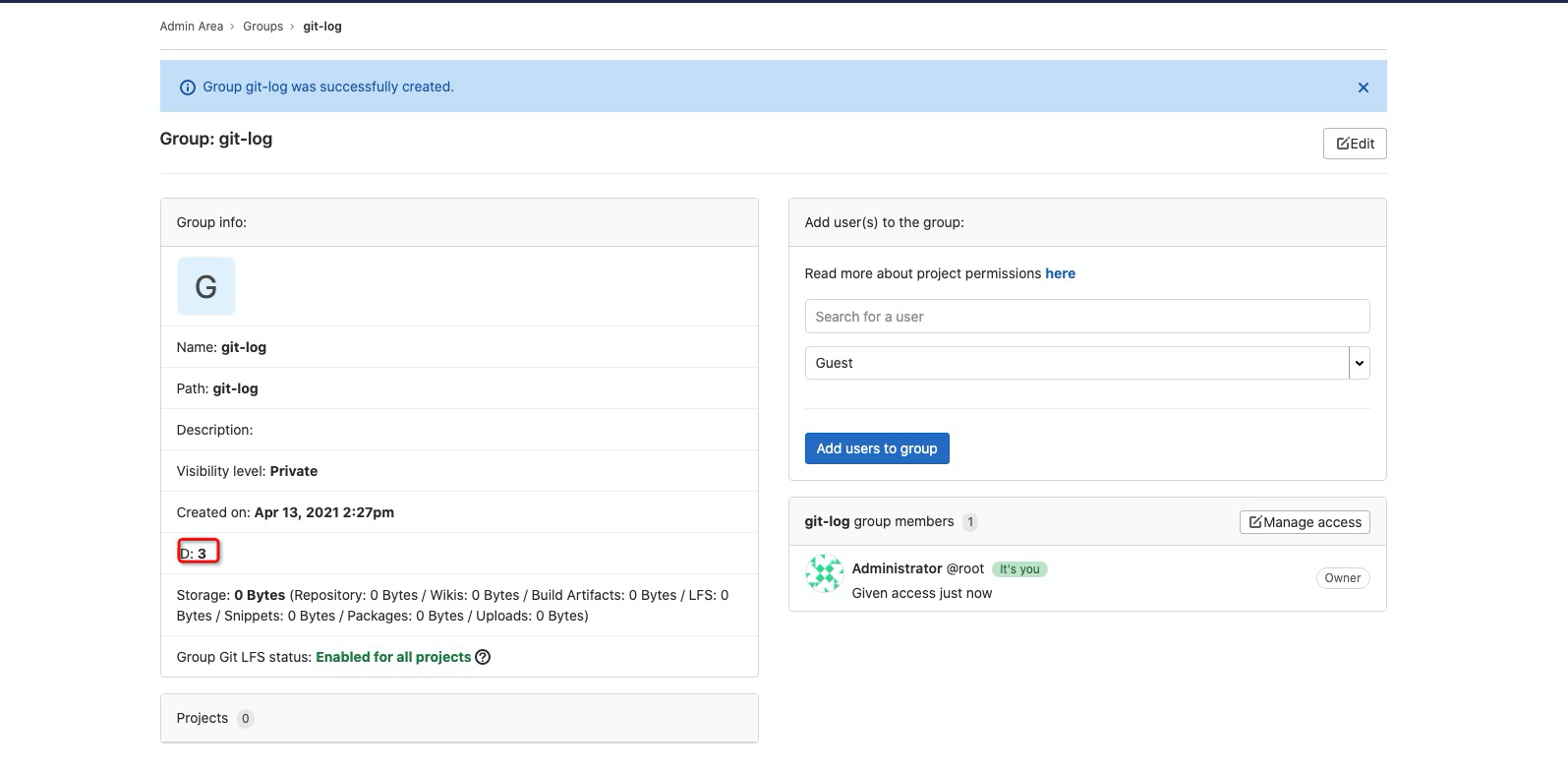
获取到当前项目组的 ID 为
3
创建测试仓库#
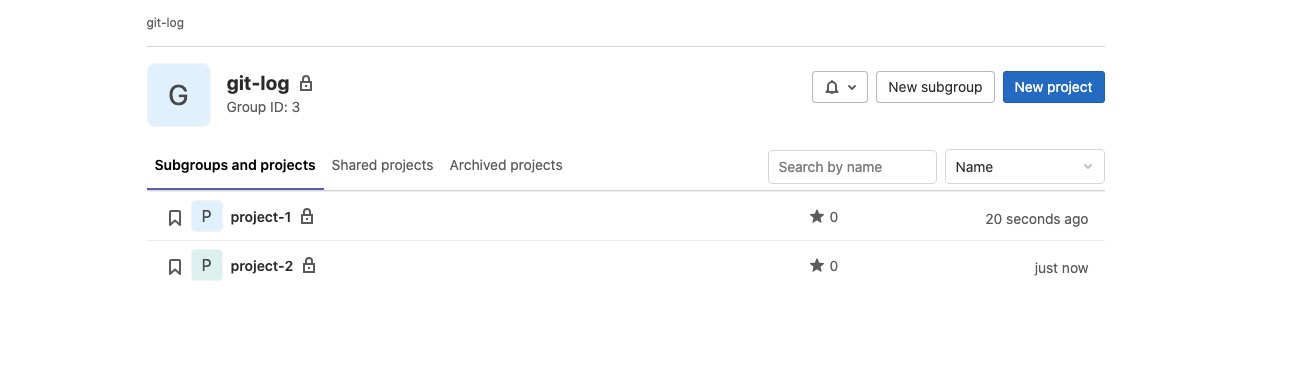
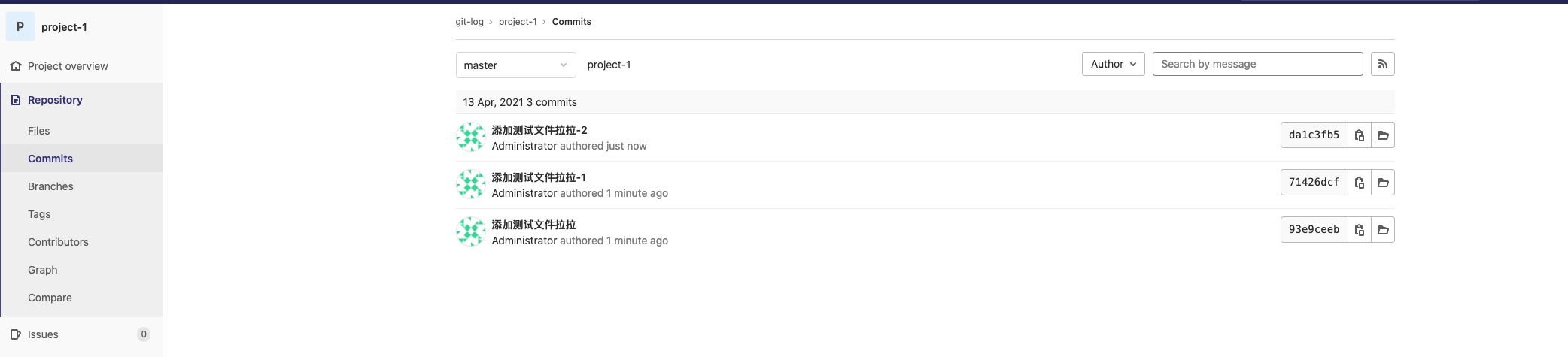
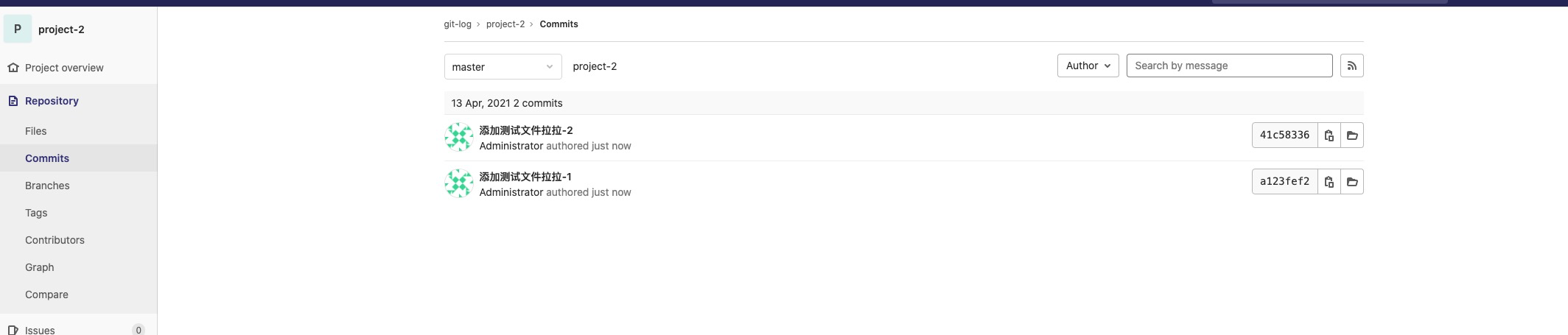
在刚才创建的项目组中,新建几个仓库,并在这些仓库中添加一些提交记录。
添加提交记录
脚本实现#
完整脚本如下,请根据实际环境修改相关变量参数:
#!/bin/bash
source /etc/profile
GITLAB_TOKEN='xxx' # GitLab API Token
GROUP_ID=3 # 项目组 ID
GROUP_NAME='git-log'  # 对应的 GitLab 项目组名称
GITLAB_WEB_URL='http://gitlab.treesir.pub' # GitLab 访问地址
GITLAB_URL='http://root:xxx@gitlab.treesir.pub'  # 具有项目 Git Clone 权限的账号密码

DATE=`date +%Y-%m-%d`
HTML_NAME="$DATE-$GROUP_NAME".html
DATA_DIR=/data/scripts/gitdata/"$GROUP_NAME"
GITWORK=/data/scripts/gitwork/"$GROUP_NAME"
#EMAIL_LIST=("user1@gmail.com" "user2@qq.com")  # 定义需要通知的人员邮箱地址
EMAIL_LIST=("xxx@dingtalk.com")
DATA_SAVE_TIME=180 # 生成的 HTML 文件保存天数
HTML_PATH_NAME="$DATA_DIR"/"$HTML_NAME"
IFS=$'\n'
RETRY=0
SMTP_EMAIL='xxx@163.com'
SMTP_SERVER='smtp.163.com'
SMTP_AUTH='xxx'

mkdir -p "$GITWORK" && mkdir -p "$DATA_DIR"
GIT_DATE="`date -d '1 days ago' +%Y-%m-%d` 18:50:00" # 从前一天下午 6:50 开始统计提交记录

# 如果 HTML 文件已存在则删除
if [ -f "$HTML_PATH_NAME" ]
then
        rm -rf "$HTML_PATH_NAME"
fi

# 获取项目组中所有仓库的名称
GITLAB_JSON=`curl --header "Authorization: Bearer $GITLAB_TOKEN" "$GITLAB_URL/api/v4/groups/${GROUP_ID}" 2>/dev/null`


# 生成 HTML 文件头部
echo """<!DOCTYPE html>
<html lang="en">
<head>
<meta charset="UTF-8">
<meta name="viewport" content="width=device-width, initial-scale=1.0">
<meta http-equiv="X-UA-Compatible" content="ie=edge">
<title>Document</title>
<style>
table{
width: 800px;
height: auto;
border: 1px solid #999;
color: #000;
margin: 100px auto;
text-align: left;
}
table  caption{
font-size: 20px;
font-weight:bold;
padding-bottom: 10px;
}
.title{
border: none;

}
table th{
background-color: #999;
opacity: 0.8;
height: 35px;
}
table td{
height: 20px;
background-color: #333;
color: seashell;
font-size: 14px;
}
</style>
</head>
<body>
""" >> "$HTML_PATH_NAME"

for REMONAME in `echo "$GITLAB_JSON"|jq .projects[].name|awk -F '"' '{print \$2}'`
do
        # 克隆或更新代码仓库
        if [ ! -d "$GITWORK/$REMONAME" ]
        then
                cd "$GITWORK"
                git clone "$GITLAB_URL/$GROUP_NAME/$REMONAME".git
        else
                cd "$GITWORK/$REMONAME"
                git pull
        fi

        for GIT_BRANCH in `git -C "$GITWORK/$REMONAME" branch -a|grep origin|grep -v 'HEAD'|awk -F 'remotes/origin/' '{print $2}'`
        do
                cd "$GITWORK/$REMONAME"
                git checkout "$GIT_BRANCH"
                git pull
                if [ `git log --date=format:'%Y-%m-%d %H:%M:%S' --pretty=format:"%ad,%an,%s,%h" --since="$GIT_DATE"|grep "-" |wc -l` -ge 1 ]
                then
                        echo """
<table>
<caption>项目和分支名称: $REMONAME $GIT_BRANCH</caption>
<tr class="title">
<th>提交时间</th>
<th>提交人</th>
<th>提交内容</th>
<th>提交ID</th>
</tr>
                        """ >> "$HTML_PATH_NAME"
                        for COMMINT in `git log --date=format:'%Y-%m-%d-%H:%M:%S' --pretty=format:"%ad|%an|%s|%h|%H" --since="$GIT_DATE"`
                        do
                                if [ `echo $COMMINT|grep 'Merge'|wc -l` -eq 1 ]
                                then
                                        continue
                                else
                                        submit_time=`echo $COMMINT|awk -F '|' '{print $1}'`
                                        submit_one=`echo $COMMINT|awk -F '|' '{print $2}'`
                                        submit_message=`echo $COMMINT|awk -F '|' '{print $3}'`
                                        submit_id=`echo $COMMINT|awk -F '|' '{print $4}'`
                                        submit_long_id=`echo $COMMINT|awk -F '|' '{print $5}'`
                                        echo """
<tr class="title">
<td>"$submit_time"</td>
<td>"$submit_one"</td>
<td>"$submit_message"</td>
<td><a href="$GITLAB_WEB_URL/$GROUP_NAME/$REMONAME/-/commit/$submit_long_id">"$submit_id"</a></td>
</tr>
                                        """ >> "$HTML_PATH_NAME"
                                fi
                        done
                        echo "</table>" >> "$HTML_PATH_NAME"
                fi
        done
done

echo """
</body>
</html>
""" >> "$HTML_PATH_NAME"

if [ `cat "$HTML_PATH_NAME" |grep tr|wc -l` -gt 0 ]
then
        for EMAIL in ${EMAIL_LIST[@]}
        do
                /usr/bin/sendemail -f "${SMTP_EMAIL}" -u "$DATE ${GROUP_NAME}项目 日报请查收~" -s "${SMTP_SERVER}" -o tls=no -o message-content-type=html -o message-charset=utf8 -xu "${SMTP_EMAIL}" -t "$EMAIL" -xp ${SMTP_AUTH} -m `cat "$HTML_PATH_NAME"`
                if [ "$?" -ne 0 ]
                then
                        while [ "$RETRY" -lt 3 ]
                        do
                                sleep 2
                                /usr/bin/sendemail -f "${SMTP_EMAIL}" -u "$DATE ${GROUP_NAME}项目 日报请查收~" -s "${SMTP_SERVER}" -o tls=no -o message-content-type=html -o message-charset=utf8 -xu "${SMTP_EMAIL}" -t "$EMAIL" -xp ${SMTP_AUTH} -m `cat "$HTML_PATH_NAME"`
                                if [ "$?" -eq 0 ]
                                then
                                        break
                                else
                                        RETRY=$(($RETRY+1))
                                fi
                        done
                fi
        done
fi

find "$DATA_DIR" -type f -mtime +"$DATA_SAVE_TIME" -exec rm -f {} \;
运行效果展示#
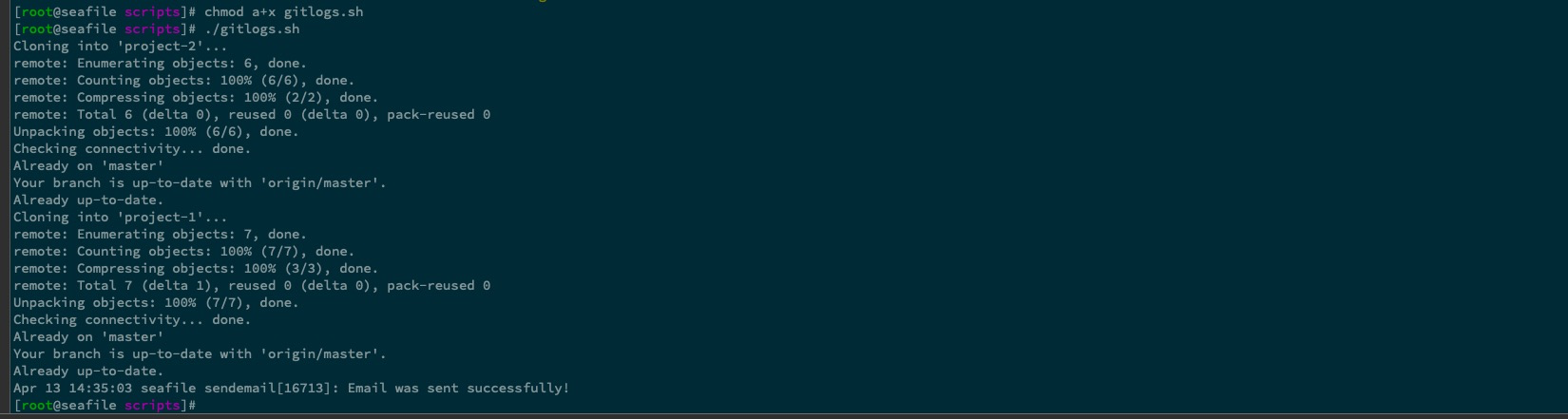
日报邮件效果展示
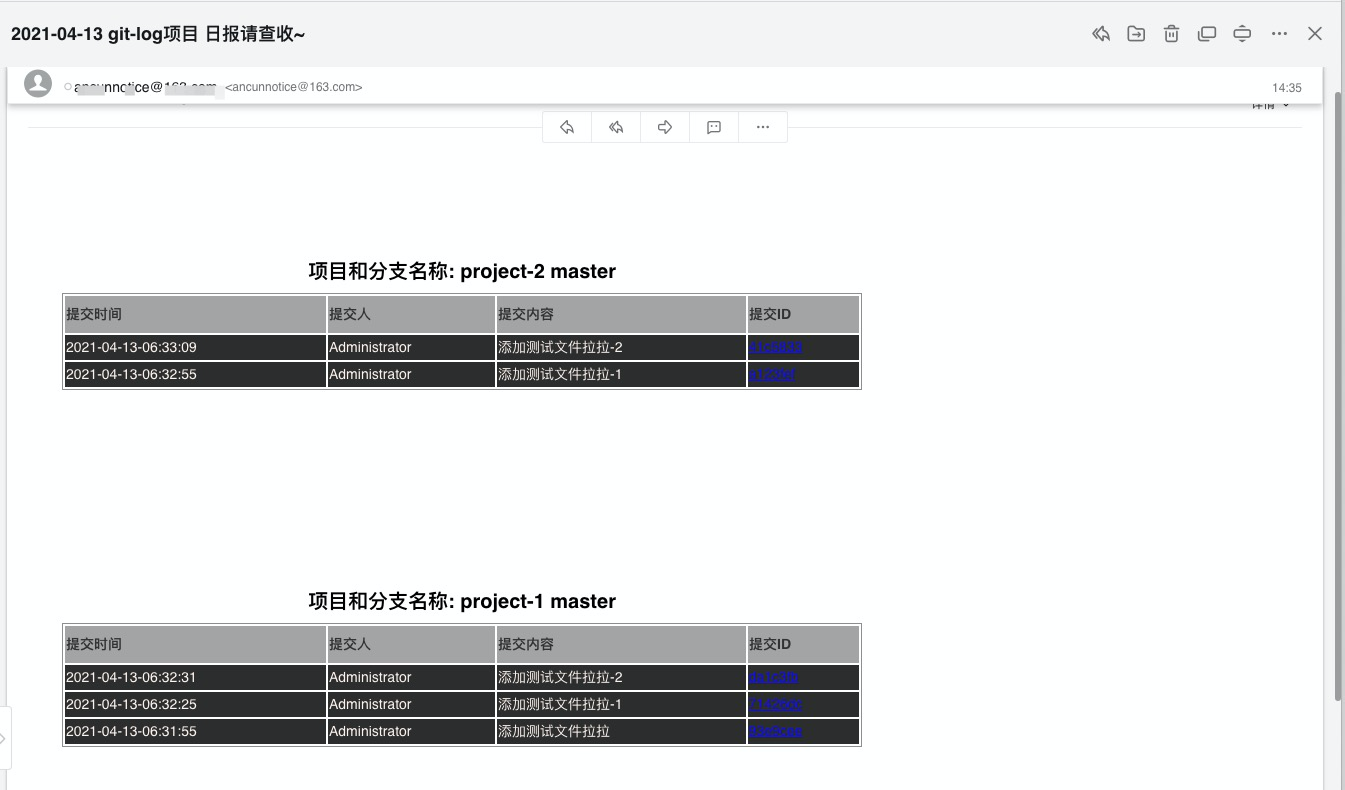
上面时区显示不正确的问题是由于在 GitLab Dashboard 中直接添加提交记录导致的。我们通过命令行添加提交记录来验证:
重新执行脚本:
./gitlogs.sh
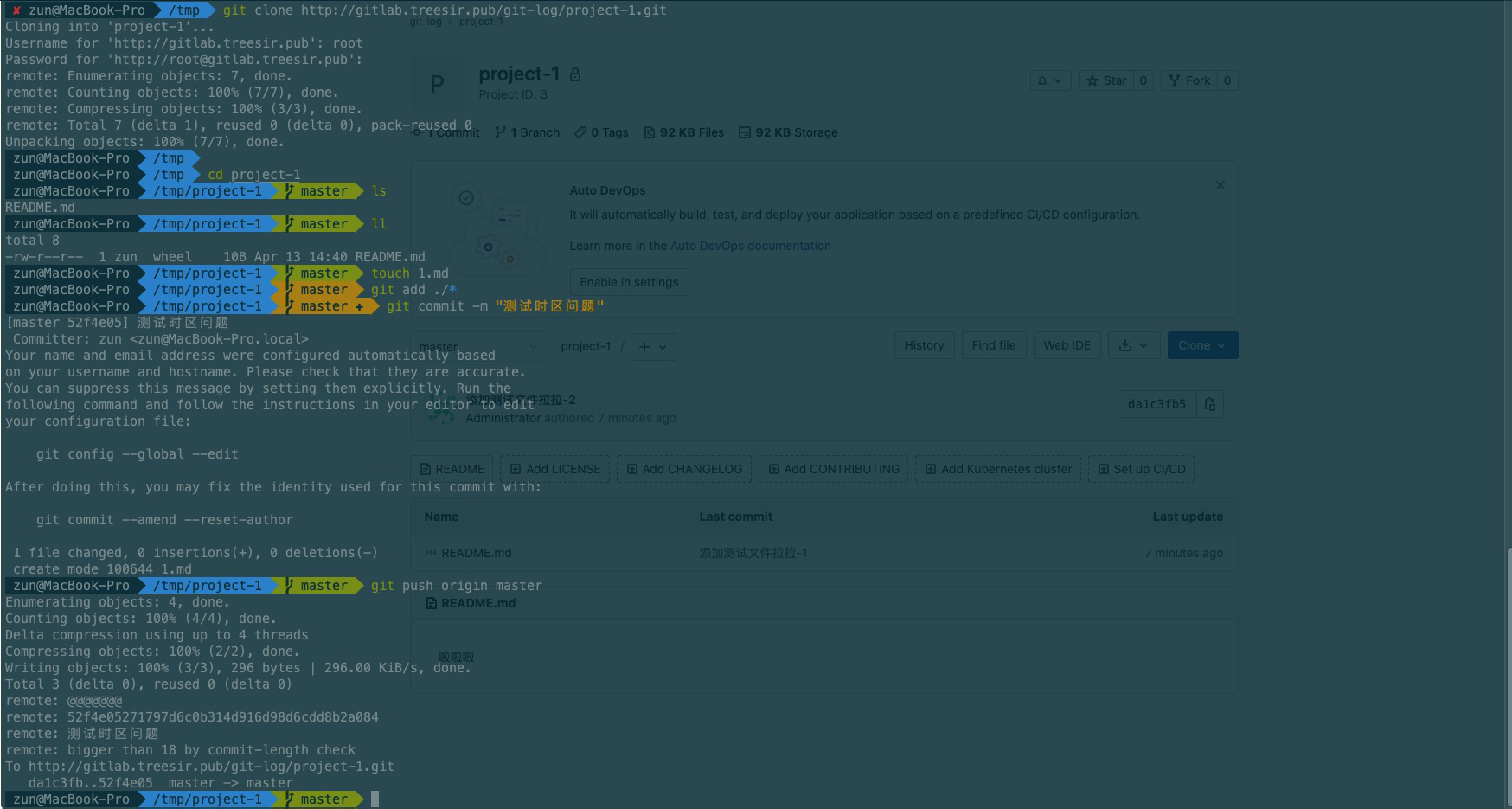
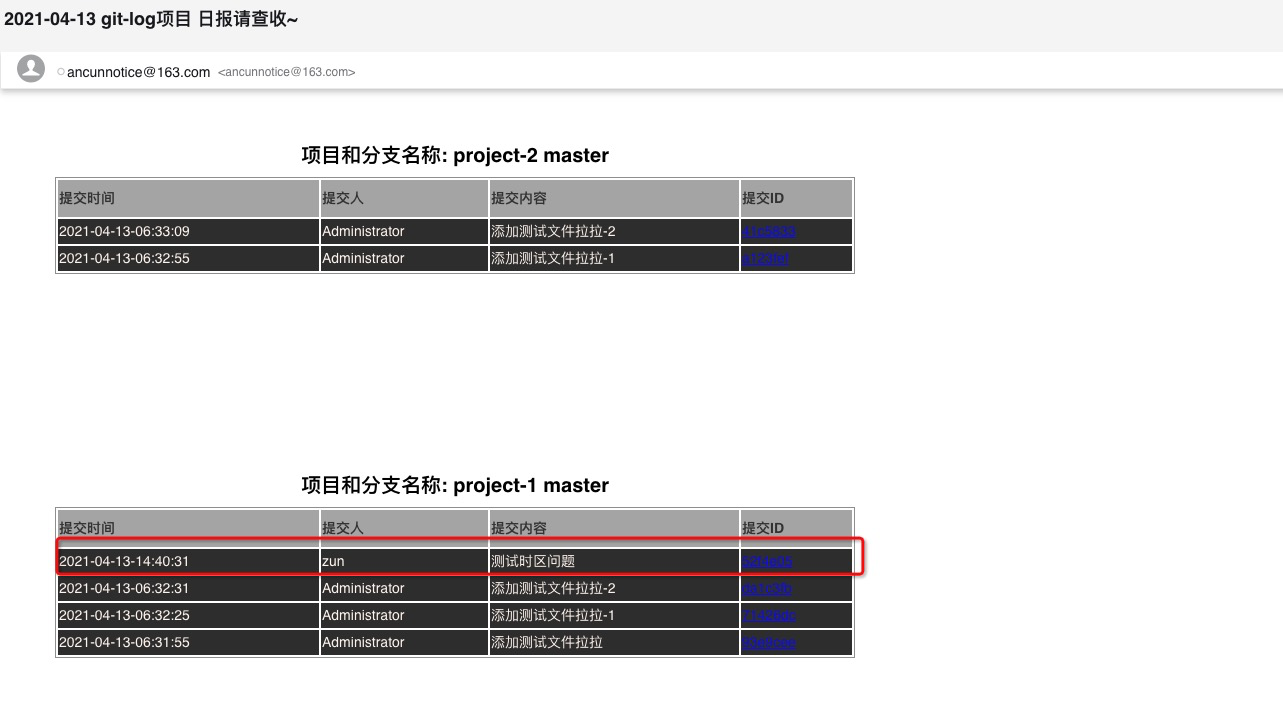
可以看到时区显示正常
配置定时任务#
crontab -e # 编辑定时任务表
0 12 * * * /usr/bin/bash /data/scripts/gitlogs.sh >> /tmp/script_debug.log
0 16 * * * /usr/bin/bash /data/scripts/gitlogs.sh >> /tmp/script_debug.log
0 17 * * * /usr/bin/bash /data/scripts/gitlogs.sh >> /tmp/script_debug.log
0 19 * * * /usr/bin/bash /data/scripts/gitlogs.sh >> /tmp/script_debug.log
以上配置将在每天的 12:00、16:00、17:00、19:00 自动执行日报生成脚本。